Increase in Checkout Conversion Rates by Adding Pricing Info in the Calendar

Tourbaksa

Travel Agency that handles from group to private tours

Travel Agency that handles from group to private tours

NHN Doctortour

5/2019 - 8/2019

100%

Overall Product Design

Diagnose
Diagnose
Diagnose
Diagnose
As-Is

High Drop-off at the Transition from Product Detail Page to Checkout

Users frequently complained about difficulties checking exact dates and pricing

Users often had to call directly to check availability

increasing customer service costs

Many cancellations that could not be converted into numbers were assumed

from the confusion of the users while checking the schedule as the users will just leave
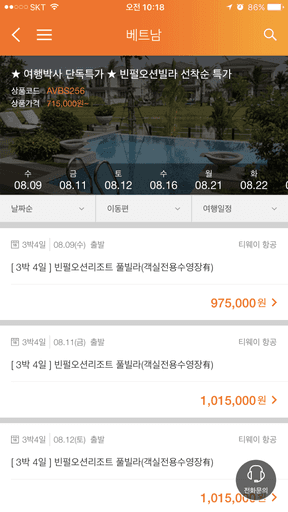
tourbaksa_asis1
tourbaksa_asis1
tourbaksa_asis1

Narrow vertical layout required horizontal scrolling to view different dates

No clear pricing by date

users had to click each day individually to find the lowest price

Only the dates available for reservation are displayed, not every day

causing confusion and errors

Decode
Decode
Decode
Decode

Improving Calendar Usability

Hypothesis 1

Displaying an actual monthly calendar is much easier to understand than a vertical layout

Hypothesis 1

Displaying an actual monthly calendar is much easier to understand than a vertical layout

Hypothesis 2

Users are used to flight apps that show prices by date
When they can’t see prices by day, they feel there isn't enough info

Hypothesis 2

Users are used to flight apps that show prices by date
When they can’t see prices by day, they feel there isn't enough info

Design
Design
Design
Design
To-Be

Design Overhaul

tourbaksa_to be 2

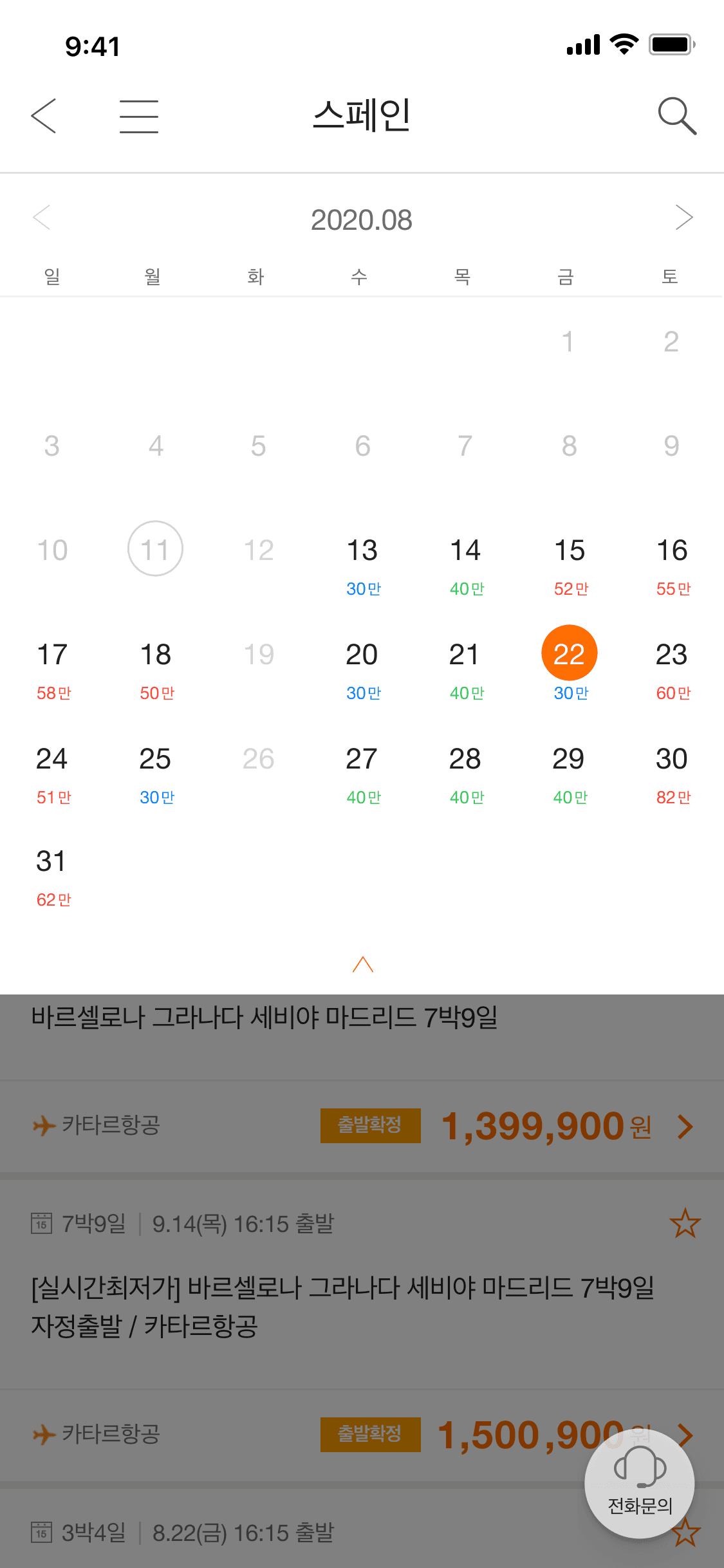
Monthly

Accordion expanded

In expanded view, users can browse by month and switch between months

Price Range

Along with simple pricing, users can compare daily prices based on the product’s average price, helping them quickly find the best deals

Bookable Date Info

Dates unavailable for booking within the month are clearly shown as disabled (no price displayed), so users can immediately tell which dates can’t be booked

tourbaksa_to be 2

Monthly

Accordion expanded

In expanded view, users can browse by month and switch between months

Price Range

Along with simple pricing, users can compare daily prices based on the product’s average price, helping them quickly find the best deals

Bookable Date Info

Dates unavailable for booking within the month are clearly shown as disabled (no price displayed), so users can immediately tell which dates can’t be booked

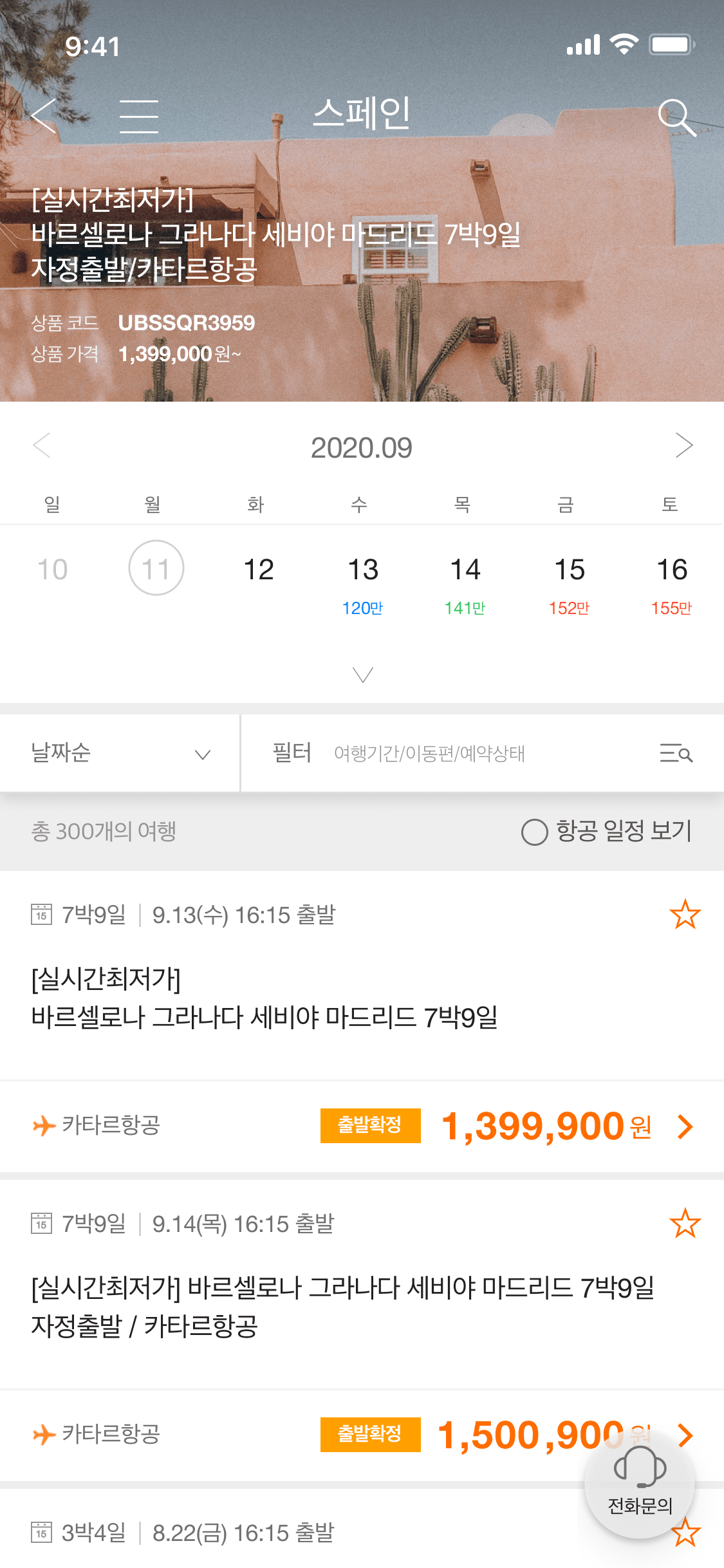
tourbaksa_to be 1

Weekly

Accordion Collapsed

In the initial view of the detail page, a weekly calendar was exposed to avoid overwhelming the overall screen

Accordion Collapsed

In the initial view of the detail page, a weekly calendar was exposed to avoid overwhelming the overall screen

Design System

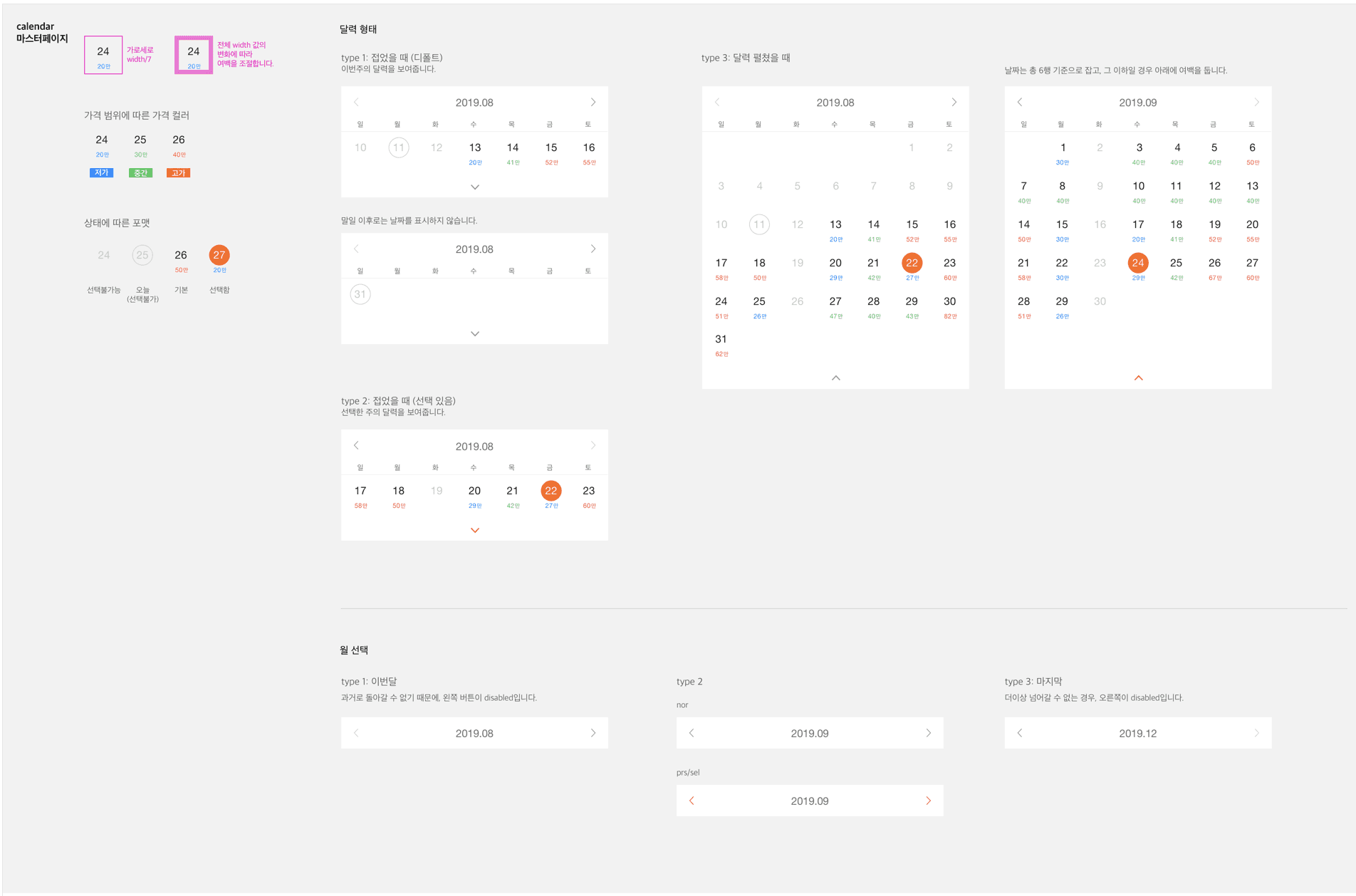
Detailed UI Guideline

calendar_guideline
calendar_guideline

Final Prototype

Conclusion
Conclusion

Before & After

tourbaksa_asis1
tourbaksa_asis1
tourbaksa_asis1
tourbaksa_to be 2
tourbaksa_to be 2

Result & Impact

14.8%

Drop-off rate on the product detail page decreased after update (within 3 months)

25%

Reduction in customer service inquiries related to date and price confirmation

Insights

A mobile product doesn’t always need to be short and minimal to be effective

Even if a layout looks long or complex at first glance, it should be used if it's easier to understand and more intuitive to use

Let's Connect!

Talk to me about projects, collaborations, or anything design

Let's Connect!

Talk to me about projects, collaborations, or anything design

Create a free website with Framer, the website builder loved by startups, designers and agencies.